Running a restaurant is about much more than serving great food. Restaurant owners and managers have to deal with orders, tables, menus, staff, payments, customer expectations, inventory, reservations, reporting, and daily operational problems all at the same time.
When these processes depend on manual work, disconnected systems, phone calls, paper notes, and spreadsheets, even a busy restaurant can quickly become difficult to manage.
The good news is that modern restaurant management software can solve many of these problems by bringing essential restaurant operations into one centralized platform.
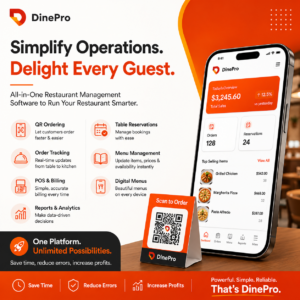
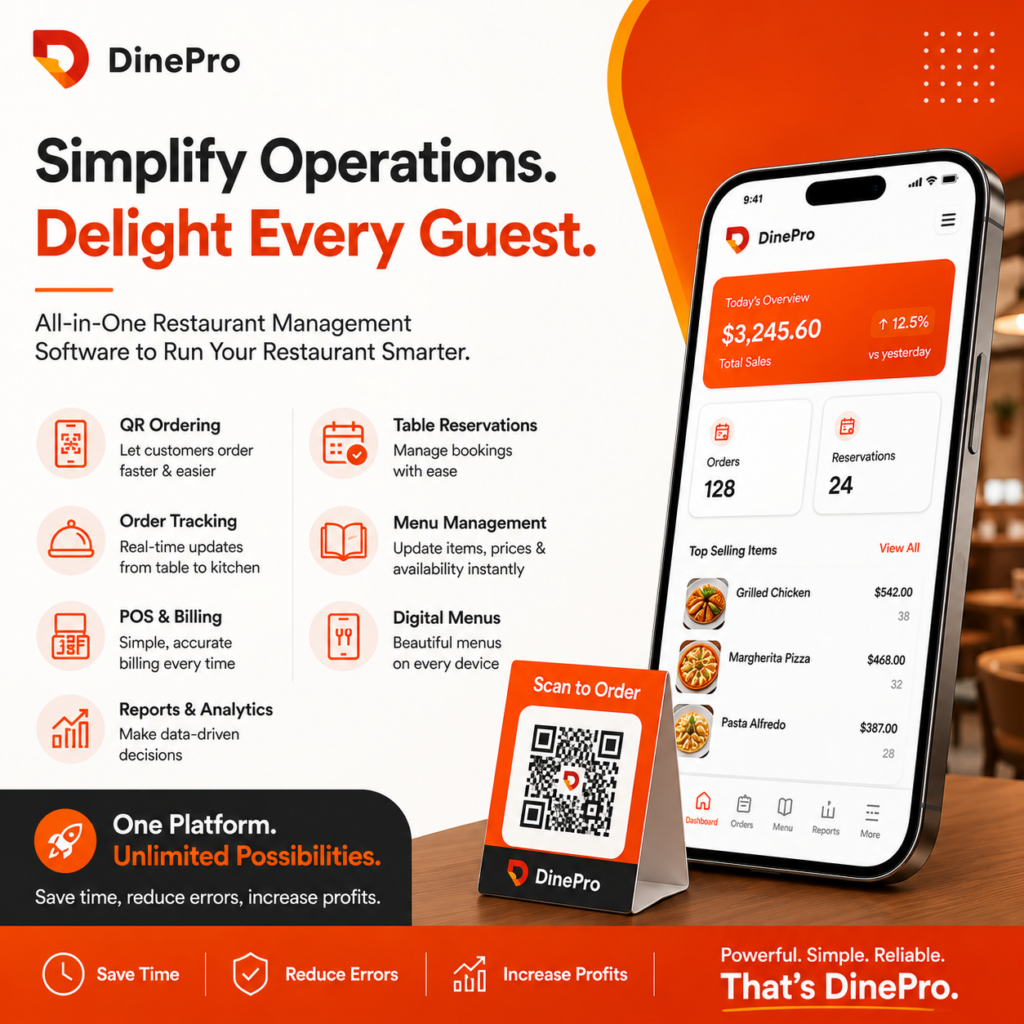
DinePro is designed to help restaurants simplify operations with QR ordering, order tracking, POS functionality, billing, table reservations, menu management, reporting, analytics, and digital menus.
This guide explores the biggest restaurant pain points and explains how technology can provide practical solutions.
What Are the Biggest Problems Restaurants Face?
Restaurants commonly struggle with:
- Slow and inaccurate order processing
- Communication gaps between customers, servers, and kitchens
- Long waiting times
- Manual menu updates
- Complicated billing
- Poor visibility into sales performance
- Difficult table management
- Staff workload and inefficiency
- Multiple disconnected systems
- Lack of real-time restaurant data
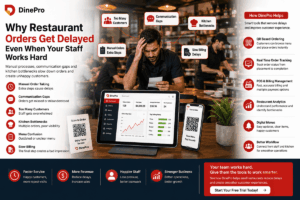
These problems may appear small individually, but together they can affect customer satisfaction, employee productivity, revenue, and profitability.
Let’s look at each challenge and how restaurant management technology can help.
1. Slow and Error-Prone Order Taking
One of the most common restaurant problems is inefficient order taking.
Traditional ordering often requires a customer to wait for a server, explain their order, and then wait while the information is manually entered into a POS or communicated to the kitchen.
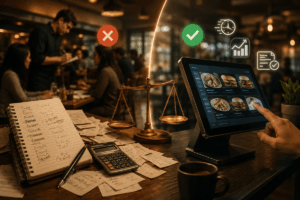
Every additional step creates an opportunity for mistakes.
A missed item, incorrect quantity, or misunderstood customization can result in:
- Customer complaints
- Food waste
- Longer preparation times
- Order corrections
- Refunds or discounts
- Increased pressure on restaurant staff
The Solution: QR Code Ordering
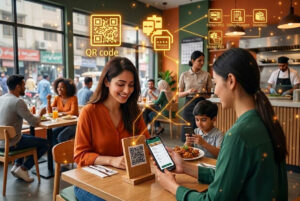
QR ordering allows customers to access a digital menu by scanning a QR code at their table.
Instead of waiting for a server to take the order, customers can browse available items and place their orders themselves.
This creates a more direct ordering process while reducing unnecessary communication between the customer and staff.
For restaurants, QR ordering can help reduce manual order-entry errors and allow employees to focus on service and other important tasks.
2. Customers Don’t Want to Wait
Customer expectations have changed.
People increasingly expect restaurants to provide fast, convenient service. Long waiting times can negatively affect the dining experience, even when the food itself is excellent.
Customers may have to wait for:
- A server to become available
- Menus
- Order confirmation
- Food preparation
- The bill
- Payment processing
Restaurants need to reduce unnecessary waiting wherever possible.
The Solution: Faster Digital Ordering
A digital ordering system can remove several bottlenecks from the traditional restaurant workflow.
Customers can view the menu, choose their items, and submit orders without waiting for a server to become available.
At the same time, restaurant staff can receive orders digitally and process them more efficiently.
This can create a smoother journey from table to kitchen to payment.
3. Poor Communication Between Front of House and Kitchen
Restaurant operations depend heavily on communication.
When orders are written on paper or verbally communicated, information can be missed or misunderstood.
For example, a customer may request:
- No onions
- Extra sauce
- A specific side dish
- A particular cooking preference
- Additional items
If that information does not reach the kitchen correctly, the restaurant may have to remake the order.
The Solution: Centralized Order Tracking
Restaurant order tracking software provides better visibility into the status of orders.
Staff can monitor orders in real time and understand what has been received and what still needs attention.
A centralized workflow reduces dependence on verbal communication and makes it easier for teams to coordinate during busy periods.
For high-volume restaurants, this type of visibility can be especially valuable during lunch, dinner, weekends, and special events.
4. Keeping Menus Updated Is a Constant Headache
Menus change.
Prices change. New dishes are introduced. Some items become unavailable. Restaurants may also offer seasonal specials or promotional items.
With printed menus, even a small change can create additional costs.
Restaurants may need to:
- Update the menu
- Print new copies
- Replace old menus
- Dispose of outdated versions
- Repeat the process whenever another change is required
The Solution: Digital Menu Management
A digital restaurant menu makes menu management much easier.
Restaurant teams can update menu information without relying entirely on printed materials.
Digital menu management can help restaurants keep information more current while reducing the operational burden associated with constantly printing menus.
For restaurants that frequently change prices, dishes, or promotions, this can be a major efficiency improvement.
5. Billing Takes Too Long
Billing is another common restaurant pain point.
When the billing process is manual, mistakes can happen with:
- Item quantities
- Taxes
- Discounts
- Total calculations
- Split bills
- Payment methods
Customers generally don’t want to finish their meal and then wait a long time to pay.
The Solution: Automated Restaurant Billing
Modern POS and restaurant billing software can automate calculations and generate bills quickly.
DinePro supports real-time billing with tax and discount functionality, helping restaurants create accurate bills more efficiently.
A streamlined billing process can improve the final part of the customer’s dining experience while reducing manual work for employees.
6. Managing Multiple Payment Methods
Customers don’t always pay in the same way.
Depending on the restaurant and market, customers may want to pay using cash, cards, wallets, or split payments.
Managing different payment methods manually can make reconciliation more complicated.
The Solution: Flexible Payment Management
A modern POS system can help restaurants manage multiple payment methods from one system.
This allows employees to process transactions more efficiently and reduces the need to maintain separate manual processes for different payment types.
The result is a smoother checkout experience for both customers and staff.
7. Restaurant Owners Don’t Have Enough Data
Many restaurant owners know how much money came into the business but don’t always have enough information to understand why.
Important questions include:
- Which menu items sell the most?
- What are the busiest periods?
- How are employees performing?
- What payment methods are customers using?
- How much did the restaurant sell today?
- Are sales increasing or decreasing?
- Which operational areas need improvement?
Without reliable reporting, decisions may be based on assumptions.
The Solution: Restaurant Analytics and Reporting
Restaurant reporting software can turn operational data into useful insights.
DinePro provides daily reports and analytics covering areas such as sales summaries, staff performance, and payment reports.
Instead of relying only on manual calculations, restaurant managers can use centralized information to make more informed operational decisions.
8. Table Reservations Can Become Complicated
Managing reservations manually can quickly become difficult as a restaurant becomes busier.
Staff may need to remember:
- Customer names
- Reservation times
- Party sizes
- Table availability
- Changes to bookings
- Cancellations
- Special requests
A simple mistake can result in double bookings or unnecessary waiting.
The Solution: Digital Table Reservation Management
Restaurant reservation software can help organize bookings and table availability in one place.
A centralized reservation workflow gives restaurant staff better visibility into upcoming reservations and helps them manage tables more efficiently.
The goal is simple: make reservations easier to manage and make the customer experience more predictable.
9. Staff Are Overloaded With Repetitive Tasks
Restaurant employees already have demanding jobs.
When staff members spend too much time taking orders, answering basic menu questions, checking order status, calculating bills, or managing routine reservations, they have less time to focus on customers.
Technology should not replace good service.
It should remove unnecessary repetitive work so employees can spend more time delivering that service.
The Solution: Restaurant Automation
Restaurant automation can help reduce repetitive administrative tasks.
QR ordering, digital menus, automated billing, order tracking, reservations, and reporting can work together to create a more efficient restaurant workflow.
This allows employees to focus on tasks where human interaction actually adds value.
10. Restaurants Often Use Too Many Separate Systems
Another major problem is fragmentation.
A restaurant may use one system for POS, another for reservations, spreadsheets for reporting, printed menus for customers, and separate processes for order management.
The more systems employees have to manage, the more complicated daily operations become.
Information may be duplicated or difficult to access.
The Solution: An All-in-One Restaurant Management Platform
An all-in-one restaurant management platform brings important functions together.
DinePro combines capabilities such as:
- QR ordering
- Order tracking
- Menu management
- POS
- Billing
- Table reservations
- Quick service
- Reporting
- Analytics
- Digital menus
- Event booking
Having these functions within a connected platform can simplify restaurant operations and reduce the need to switch between multiple tools.
How QR Ordering Can Improve the Restaurant Experience
QR ordering is more than simply replacing a printed menu.
It can create a more convenient ordering journey.
A customer sits down, scans the QR code, views the digital menu, selects items, and submits the order.
The restaurant receives the order digitally, reducing unnecessary steps.
For restaurant owners, the potential benefits include:
- Faster ordering
- Fewer manual entry errors
- Reduced pressure on servers
- Better order visibility
- More convenient customer interactions
For customers, the benefit is simple: they can order when they are ready.
How a POS System Helps Restaurants
A restaurant POS system acts as a central point for important transaction and operational information.
A modern POS can help manage:
- Orders
- Billing
- Taxes
- Discounts
- Payments
- Sales reports
- Staff performance
Instead of handling each process independently, restaurant teams can work through a more connected workflow.
This becomes particularly useful as restaurants grow and transaction volumes increase.
Why Restaurant Automation Matters
Automation is not only about saving time.
It is about reducing avoidable friction.
Consider a typical restaurant workflow.
A customer waits for a server.
The server takes the order.
The order is communicated to the kitchen.
The kitchen prepares the food.
The customer requests the bill.
The employee calculates the bill.
The customer pays.
Each step can potentially create delays or errors.
Restaurant technology can automate or simplify several of these steps.
The result is a workflow that requires less manual intervention while maintaining the human element of hospitality.
What Should You Look for in Restaurant Management Software?
Not every restaurant has the same requirements.
Before selecting restaurant management software, owners should consider whether the platform provides:
Easy-to-Use Interface
Employees should be able to learn the system quickly.
A complicated interface can create new problems instead of solving existing ones.
QR Ordering
Customers should have an easy way to access digital menus and place orders.
POS and Billing
The system should support efficient billing, taxes, discounts, and different payment methods.
Order Tracking
Restaurant teams should have clear visibility into order progress.
Menu Management
Managers should be able to update menu information efficiently.
Reporting and Analytics
The system should provide useful information for understanding restaurant performance.
Table Reservations
Reservation management should be simple and organized.
Device Compatibility
Restaurants may use tablets, desktops, or dedicated POS terminals, so compatibility is important.
How DinePro Helps Solve Restaurant Pain Points
DinePro is built around a simple idea: restaurant technology should make daily operations easier.
Instead of adding more complexity, a restaurant management platform should help connect the most important parts of the operation.
DinePro provides tools for:
QR Ordering: Allow customers to place orders directly from their tables.
Order Tracking: Monitor restaurant orders in real time.
Menu Management: Create, update, and organize digital menus.
POS: Manage restaurant transactions through a centralized system.
Billing: Generate bills with support for taxes and discounts.
Table Reservations: Organize reservations and table management.
Reporting: Access sales and operational information.
Analytics: Use restaurant data to understand performance.
Quick Serve: Support faster service and a smoother customer experience.
Digital Menu: Give customers modern access to restaurant menus.
For restaurants looking to simplify their operations, DinePro’s restaurant management platform provides an all-in-one approach.
Frequently Asked Questions
What is restaurant management software?
Restaurant management software is a digital platform that helps restaurants manage operations such as orders, menus, POS transactions, billing, reservations, reporting, and customer service.
What is QR ordering in a restaurant?
QR ordering allows customers to scan a QR code using their smartphone, access a digital menu, select food or drinks, and place an order without necessarily waiting for a server.
How can restaurant software reduce order errors?
Digital ordering and centralized order tracking can reduce manual data entry and communication mistakes, helping restaurants process customer orders more consistently.
Can restaurant management software manage billing?
Yes. Restaurant POS and management systems can help generate bills, calculate taxes and discounts, and process different payment methods.
Why is restaurant analytics important?
Restaurant analytics helps owners and managers understand sales, staff performance, payment activity, and other operational information so they can make better business decisions.
Can digital menus replace printed menus?
Digital menus can reduce reliance on printed menus and make it easier to update prices, dishes, and promotions. Many restaurants may choose to use digital and printed menus together.
How does restaurant automation improve customer service?
Automation can reduce repetitive tasks and waiting times, allowing restaurant employees to spend more time assisting customers and delivering better hospitality.
Is restaurant management software useful for small restaurants?
Yes. Small restaurants can benefit from streamlined ordering, billing, menu management, reservations, and reporting, especially when staff numbers are limited.
What features should restaurant management software have?
Important features can include QR ordering, POS, billing, order tracking, menu management, reservations, reporting, analytics, digital menus, and compatibility with common restaurant devices.
Final Thoughts: Solve Restaurant Problems Before They Become Bigger
Restaurant success depends on food quality, hospitality, and efficient operations.
A restaurant can have an excellent menu and talented staff, but operational problems can still affect the customer experience.
Slow ordering creates frustration.
Order mistakes create waste.
Manual billing creates delays.
Poor reporting makes decision-making harder.
Disconnected systems create unnecessary work.
The right restaurant management software can address these challenges by bringing essential processes together and automating repetitive tasks.
For restaurants that want to improve ordering, billing, table management, reporting, and overall operational efficiency, an all-in-one platform such as DinePro can provide a practical technology foundation.
Explore DinePro and discover how a smarter restaurant management system can help make everyday operations simpler, faster, and more organized.