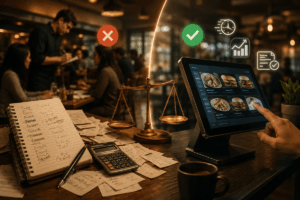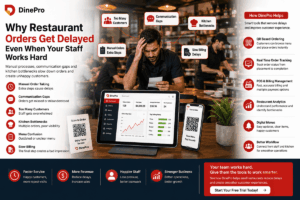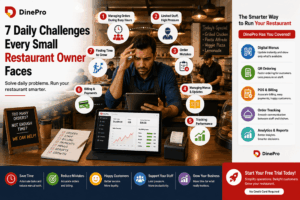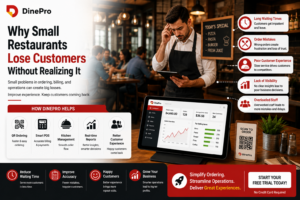
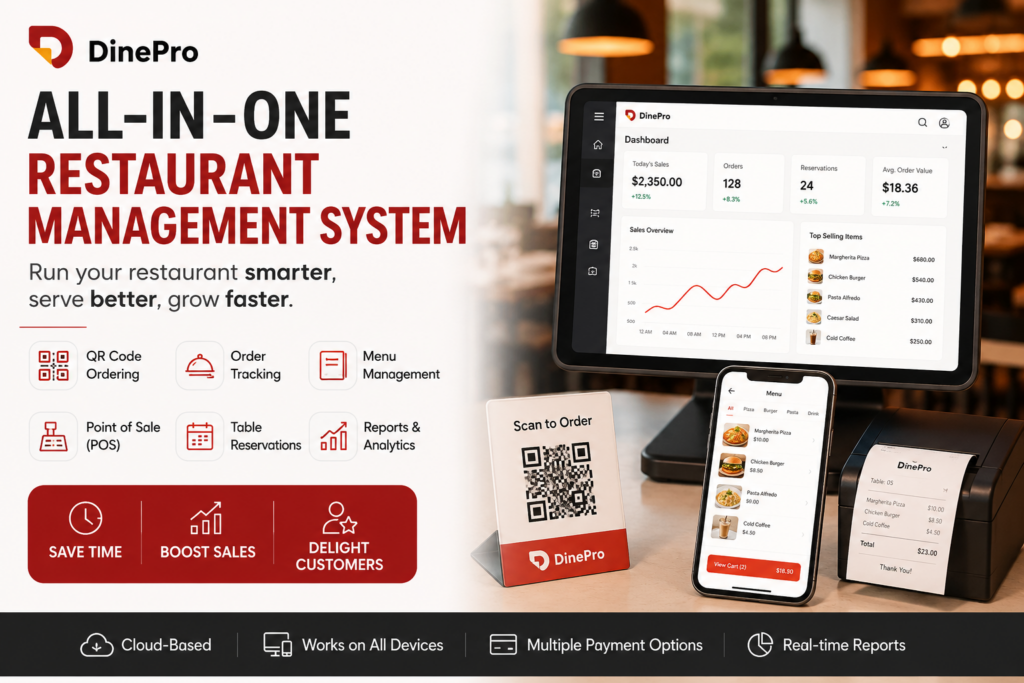
A restaurant management system is software that runs the day-to-day operations of a restaurant from one platform order taking, kitchen coordination, billing, table reservations, menu updates, and sales reporting. Instead of juggling a paper order pad, a separate card machine, a spreadsheet for inventory, and a notebook for reservations, a restaurant owner uses one connected system that handles all of it and shows real-time data on a tablet, POS terminal, or desktop.
The core purpose is simple: reduce order errors, speed up service, and give the owner a clear view of how the business is performing, without adding extra staff or manual work. Platforms like DinePro bundle these functions — QR ordering, POS, reporting, and reservations into a single system built for restaurants of any size.
Why Restaurants Need One
Restaurants operate on thin margins and tight timing. A single wrong order, a slow bill, or a double-booked table can cost a customer for good. A restaurant management system exists to remove these friction points by connecting the front of house (customers, servers, cashiers) with the back of house (kitchen, inventory, management) in real time.
Core Features of a Restaurant Management System
1. Order Tracking
Order tracking is the real-time monitoring of every order from the moment it’s placed to the moment it’s served. When a customer orders, the ticket appears instantly in the kitchen queue, and staff can update its status — received, preparing, ready, served — so everyone from the server to the manager knows exactly where each order stands. This cuts down on missed tickets, forgotten courses, and the awkward “is my food coming?” conversation.
Kitchens that rely on shouted orders or paper tickets lose time and accuracy during rush hours. A digital order tracking system keeps the kitchen synchronized with the front of house even when it’s slammed.
2. QR Code / Self-Service Ordering
QR placed ordering lets customers scan a code at their table, browse the digital menu, and place their own order without waiting for a server. The order goes straight to the kitchen or POS, skipping the manual entry step entirely.
Self-ordering reduces wait times, cuts labor costs during peak hours, and gives customers a sense of control over their dining pace. It’s especially effective in cafés, fast-casual restaurants, and busy bistros where server bandwidth is limited.
3. Menu Management
A digital menu management tool lets staff add, edit, price, or retire dishes instantly — no reprinting menus, no outdated specials. Seasonal items, sold-out dishes, and price changes can be updated in seconds and reflected immediately across every ordering channel, including QR menus and POS screens.
Menus change more often than owners expect — ingredient shortages, seasonal produce, price fluctuations. A system that updates everywhere at once avoids the mismatch between what’s printed and what’s actually available. DinePro’s features page covers how this works alongside ordering and POS.
4. Point of Sale (POS)
The POS is the transactional core of the system — it’s where orders convert into bills. A modern restaurant POS works across tablets, desktops, and dedicated terminals, so staff aren’t tied to one fixed station. It typically includes:
- Real-time billing with automatic tax and discount calculations
- Support for multiple payment modes — cash, card, UPI, digital wallets, and split payments
- Integration with order tracking, so a bill reflects exactly what was ordered and served
A flexible POS means staff can take payment tableside, at the counter, or on a handheld device, which shortens the time between “check please” and the customer walking out the door.
5. Table Reservation Management
Reservation tools let restaurants manage bookings, coordinate multiple events across different dates and times, and avoid double-booking tables. Some systems also support real-time table status updates, so hosts always know which tables are free, occupied, or about to turn over.
Reservations are often the first touchpoint a customer has with a restaurant. A smooth booking experience builds trust before the guest even walks in, and efficient table turnover directly affects revenue on busy nights.
6. Daily Reports and Analytics
A restaurant management system should generate sales summaries, staff performance data, and payment breakdowns automatically, typically with a single click. This turns raw transaction data into decisions: which dishes sell best, which shifts are most profitable, and where costs are creeping up.
Most independent restaurants don’t have a dedicated data analyst. Built-in reporting gives owners the same visibility a larger chain would get from a business intelligence team, without the overhead.
How a Restaurant Management System Works, Step by Step
- A customer orders — either through a QR code at the table, a server using a tablet, or a cashier at the counter.
- The order routes to the kitchen in real time, appearing on a kitchen display or ticket printer.
- Kitchen staff update order status as it moves from preparing to ready.
- The POS generates the bill automatically based on what was ordered, applying tax and any discounts.
- The customer pays through whichever method they prefer — cash, card, wallet, or a split payment among a group.
- The system logs the transaction and rolls it into daily reports covering sales, staff performance, and payment types.
Because every step happens on the same platform, there’s no manual re-entry of data between order, kitchen, and bill — which is where most human error creeps in.
Who Uses a Restaurant Management System?
- Bistro and full-service restaurant owners who need to manage table turnover, multi-course orders, and billing accuracy simultaneously.
- Café owners who benefit from QR self-ordering to reduce staff workload during peak hours.
- Restaurant managers who rely on reporting and analytics to track staff performance and daily sales without manual bookkeeping.
- Small business operators looking for one affordable, all-in-one tool instead of stitching together separate apps for ordering, payments, and reservations.
Restaurant Management System vs. Traditional Methods
| Task | Traditional Method | Restaurant Management System |
|---|---|---|
| Taking orders | Paper pad, verbal relay to kitchen | Digital order sent instantly to kitchen display |
| Menu updates | Reprint physical menus | Update once, reflected everywhere instantly |
| Billing | Manual tax/discount calculation | Automatic, real-time billing |
| Payments | Cash or single card terminal | Multiple modes, including split payments |
| Reservations | Phone calls, notebook, whiteboard | Digital booking with real-time table status |
| Performance tracking | End-of-day manual tally | One-click daily reports and analytics |
Common Questions About Restaurant Management Systems
Does a restaurant management system replace staff?
No. It reduces repetitive manual work — like re-entering orders or calculating totals by hand — but it doesn’t replace the judgment, hospitality, and food preparation that staff provide. Most restaurants use these systems to let existing staff serve more tables accurately, not to cut headcount.
Can it work on devices I already own?
Most modern systems are built to run on tablets, desktops, and dedicated POS terminals, so a restaurant can start with hardware it already has rather than buying a proprietary terminal.
Is QR ordering only useful for casual restaurants?
QR ordering is most common in cafés and fast-casual settings, but full-service restaurants also use it to reduce wait times for drink refills, appetizers, or reorders — while still keeping table service for the main dining experience.
How does real-time reporting help a small restaurant?
It replaces the need for manual end-of-day tallying. An owner can see which dishes sold, how each staff member performed, and how revenue was split across payment types — all without opening a spreadsheet.
What’s the difference between order tracking and a POS?
Order tracking follows a ticket’s life cycle from placement to service. A POS handles the transaction — calculating the bill, applying tax and discounts, and processing payment. In an integrated system, the two are connected so the bill automatically matches what was tracked and served.
Can multiple staff use the system at once?
Yes. Because these platforms are typically cloud-connected, several staff members can take orders, update kitchen status, and process payments simultaneously across different devices without conflicting with one another.
Key Takeaways
- A restaurant management system combines order tracking, QR ordering, menu management, POS billing, reservations, and reporting into a single connected platform.
- The main benefit is reducing manual, repetitive work so staff can focus on service and food quality.
- It supports multiple payment modes and device types, making it flexible for restaurants of different sizes and formats.
- Built-in analytics give owners visibility into sales and staff performance without needing separate accounting tools.
- It’s best understood as a tool that supports staff and improves accuracy — not a replacement for hospitality itself.
Getting Started
For restaurants ready to move off paper tickets and disconnected tools, DinePro offers QR ordering, POS, reservations, and reporting in one platform. You can explore the full feature list, compare pricing plans, book a demo, or start a free trial to see it running in your own restaurant.