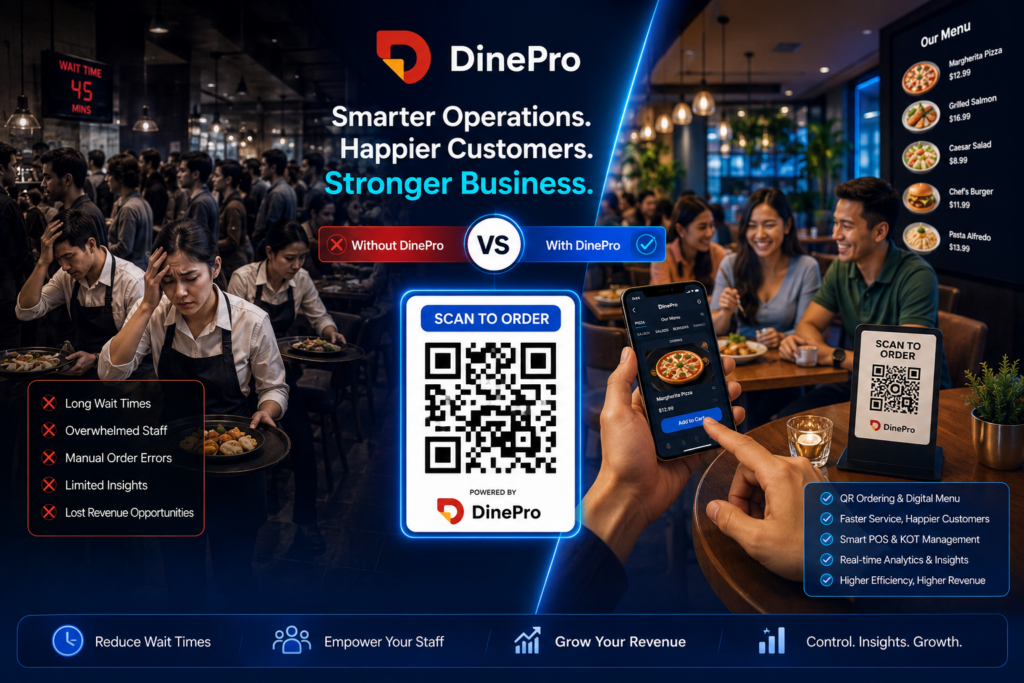
The restaurant industry has always depended heavily on people. From taking orders and serving customers to managing tables and handling billing, every operation requires trained staff. However, restaurants worldwide are facing an increasing challenge: staff shortages.
Finding reliable employees has become difficult. Training new staff requires time and money. Rising labor costs are affecting profits, while customer expectations for faster service continue to increase.
Many restaurants are now turning to technology to bridge the gap. Smart restaurant automation platforms like DinePro are helping businesses operate efficiently with fewer employees while delivering a better customer experience.
Understanding the Restaurant Staffing Crisis
Restaurants face several staffing-related challenges:
- Rising wages and labor costs.
- Difficulty recruiting skilled workers.
- High employee turnover.
- Time-consuming staff training.
- Human errors during order taking.
- Delays in service during busy hours.
- Customer dissatisfaction due to slow operations.
These challenges directly affect profitability and customer retention.
Fortunately, technology provides a practical solution.
Why Staff Shortages Hurt Restaurant Operations
1. Slow Order Taking
Traditional restaurants rely heavily on waiters to take orders. During peak hours, customers often experience delays.
Consequences include:
- Long waiting times.
- Incorrect orders.
- Frustrated customers.
- Lower table turnover.
How DinePro Helps
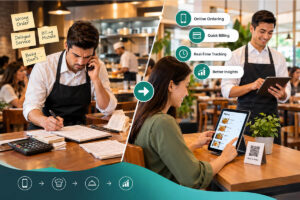
With QR Ordering System, customers scan a QR code and place orders directly from their smartphones.
Benefits include:
- No waiting for servers.
- Faster ordering.
- Improved accuracy.
- Reduced workload for staff.
2. High Labor Costs Reduce Profits
Hiring additional employees increases expenses:
- Salaries.
- Overtime pay.
- Training costs.
- Benefits and insurance.
Restaurants often struggle to balance profitability with labor requirements.
Technology Reduces Dependency on Extra Staff
Using DinePro Restaurant Management System, restaurants automate many tasks:
- Order processing.
- Billing.
- Payment collection.
- Kitchen coordination.
- Reporting.
This allows businesses to serve more customers without increasing payroll costs.
Lack of Skilled Staff Creates Operational Problems
Training new employees requires weeks or even months.
Common problems include:
- Wrong orders.
- Billing mistakes.
- Slow service.
- Inconsistent customer experience.
Human error negatively impacts restaurant reviews and reputation.
DinePro Simplifies Restaurant Operations
QR Placed Ordering
Through DinePro QR Menu System, customers become active participants in the ordering process.
Features include:
- Digital menu access.
- Self-ordering.
- Real-time kitchen notifications.
- Reduced communication errors.
Restaurants can operate efficiently even with fewer waiters.
Real-Time Order Tracking
Managing orders manually becomes difficult during busy periods.
DinePro offers:
- Live order tracking.
- Kitchen status updates.
- Faster preparation coordination.
- Improved workflow.
Kitchen staff always know what to prepare and when.
Manual Billing Takes Time
Traditional billing systems consume valuable staff time.
Problems include:
- Billing mistakes.
- Slow checkout.
- Customer queues.
- Revenue leakage.
Smart POS Automation
DinePro provides a powerful POS system featuring:
Real-Time Billing
Generate bills instantly with:
- Tax support.
- Discounts.
- Accurate calculations.
Multiple Payment Methods
Accept:
- Cash.
- Credit cards.
- Mobile wallets.
- UPI.
- Split payments.
This speeds up transactions and reduces cashier workload.
Staff Scheduling Challenges
Restaurant managers spend hours coordinating shifts and handling employee shortages.
Understaffing leads to:
- Burnout.
- Reduced productivity.
- Poor customer service.
Technology helps optimize workflows instead of simply hiring more people.
Menu Management Becomes Easier
Changing menus traditionally requires:
- Printing costs.
- Staff communication.
- Manual updates.
Using DinePro Menu Management Software, owners can:
- Add dishes instantly.
- Update prices.
- Organize categories.
- Remove unavailable items.
Everything happens in real time.
Table Management Without Extra Employees
Handling reservations manually often creates:
- Overbooking.
- Long waiting times.
- Customer frustration.
Table Reservation Features
DinePro allows restaurants to:
- Manage reservations efficiently.
- Receive real-time updates.
- Optimize seating arrangements.
- Improve customer loyalty.
Customers enjoy smoother dining experiences while managers maintain better control.
Faster Service with Quick Serve Features
Speed matters.
Today’s customers expect convenience and quick service.
With DinePro:
- Orders go directly to the kitchen.
- Staff spend less time writing tickets.
- Tables turn faster.
- More customers are served.
This improves revenue without adding more employees.
Reporting and Analytics Save Management Time
Restaurant owners need insights to make better decisions.
Without automation, reporting can consume hours.
DinePro provides:
Daily Reports
Monitor:
- Sales performance.
- Revenue trends.
- Staff productivity.
- Payment reports.
Analytics Dashboard
Gain visibility into:
- Popular dishes.
- Peak hours.
- Customer behavior.
- Business growth opportunities.
These insights help owners optimize operations and reduce unnecessary labor expenses.
Compatible Across Devices
Modern restaurants require flexibility.
DinePro works on:
- Tablets.
- Desktops.
- POS terminals.
Owners can manage operations from virtually anywhere.
Multiple Event Booking Management
Managing multiple events manually can become overwhelming.
DinePro simplifies:
- Event bookings.
- Table arrangements.
- Scheduling.
- Reservation tracking.
This reduces administrative work and allows existing staff to focus on customer service.
How Automation Improves Customer Experience
When restaurants struggle with staffing shortages, customers often experience:
- Slow service.
- Incorrect orders.
- Long queues.
- Poor communication.
With DinePro Restaurant Automation Platform, customers enjoy:
Contactless QR Ordering
Order directly from the table.
Faster Billing
Quick checkout with multiple payment options.
Accurate Orders
Minimized human errors.
Better Dining Experience
Customers receive food faster and enjoy smoother service.
Why More Restaurants Are Choosing DinePro
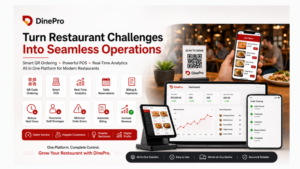
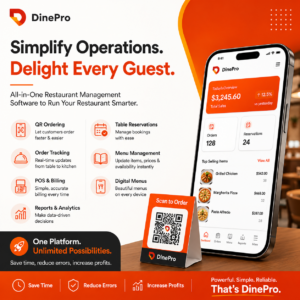
DinePro is an all-in-one restaurant management solution designed to help restaurants operate smarter.
Key Features
- QR Placed Ordering
- Order Tracking
- Digital Menu Management
- Smart POS System
- Real-Time Billing
- Multiple Payment Modes
- Table Reservations
- Quick Serve Operations
- Reporting & Analytics
- Event Booking Management
- Tablet Compatibility
By automating repetitive tasks, DinePro enables restaurants to deliver exceptional service while reducing dependency on large teams.
The Future of Restaurants Is Automation
Staff shortages are unlikely to disappear anytime soon. Rising labor costs and recruitment challenges will continue to impact the industry.
Restaurants that embrace technology today will be better positioned for long-term success.
With DinePro Restaurant Management Software, restaurant owners can reduce labor costs, improve efficiency, increase profits, and create exceptional dining experiences—even with fewer employees.
The future belongs to smart restaurants, and DinePro helps make that future possible.
FAQ
How can restaurants deal with staff shortages?
Restaurants can reduce dependency on large teams by implementing automation tools like DinePro for ordering, billing, reservations, and analytics.
What is QR ordering?
QR ordering allows customers to scan a QR code, view the menu, and place orders directly from their phones without waiting for a server.
Does DinePro reduce labor costs?
Yes. DinePro automates several operations, enabling restaurants to serve more customers with fewer employees.
Can DinePro handle billing and payments?
Yes. DinePro offers real-time billing and supports multiple payment methods including cash, cards, wallets, and UPI.
Is DinePro suitable for small restaurants?
Absolutely. DinePro works for cafes, restaurants, cloud kitchens, and multi-location businesses.
Does DinePro provide reporting and analytics?
Yes. DinePro offers daily reports, sales analytics, payment reports, and staff performance insights.