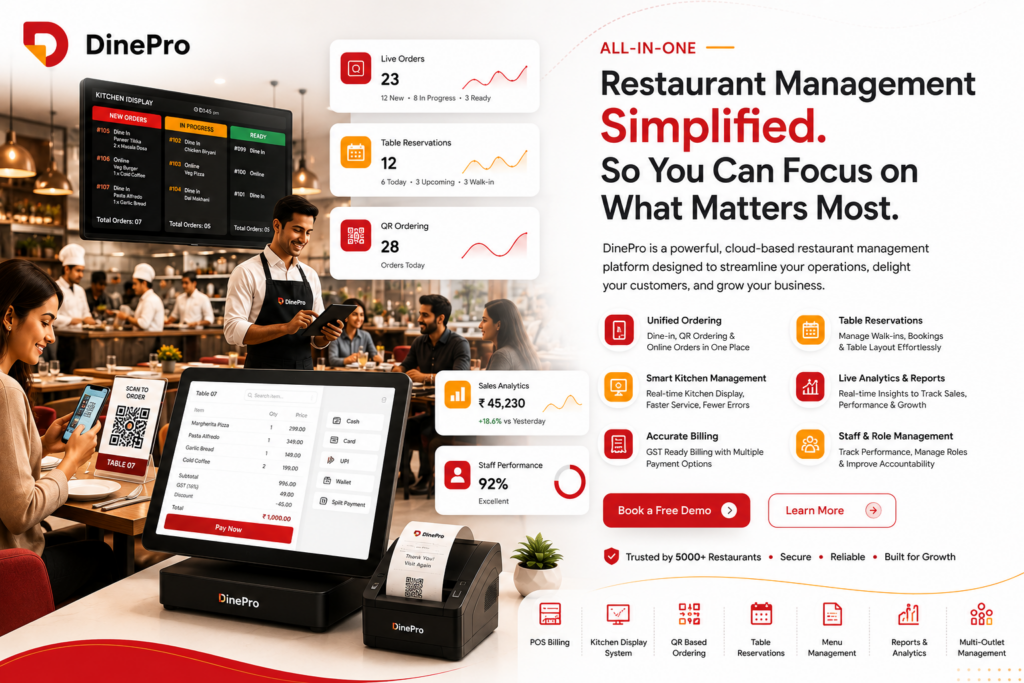
The real pain points behind inefficient restaurant operations, and the modern solution built for dine-in businesses.
Running a restaurant in 2025 is harder than it looks from the outside. Behind every perfectly plated dish and warm guest greeting is a web of operational chaos that most diners never see — missed orders, manual billing errors, overwhelmed staff, and a POS system that was built for someone else’s business. If you’re a restaurant owner, café manager, or F&B operator, you already know this feeling: your software is supposed to make life easier, but it often adds friction instead of removing it.
This article breaks down the most pressing pain points facing restaurant owners today — and shows how purpose-built platforms like DinePro are changing what restaurant management software actually looks like.
1. The “Tablet Farm” Problem: Too Many Screens, Zero Visibility
Walk into any mid-size restaurant kitchen and you’ll likely see the same thing: three or four tablets lined up on a shelf, each representing a different order channel. One for the in-house POS. One for Zomato. One for Swiggy. Maybe one more for the website ordering system. Staff are expected to monitor all of them simultaneously, manually relay orders to the kitchen, and somehow keep tickets accurate across every channel.
This fragmentation is not a technology failure — it’s a business model failure baked into how most restaurant software evolved. Each platform grew independently, with no incentive to integrate, leaving restaurant operators as the human glue between disconnected systems.
The real cost: Research consistently shows that order errors spike in high-volume kitchens when staff are context-switching between systems. A missed modifier on a delivery order, a wrong table number on the in-house ticket — these aren’t careless mistakes. They’re the predictable outcome of a fragmented workflow.
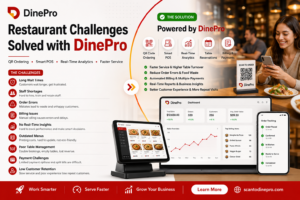
DinePro solves this at the source by unifying dine-in ordering, QR-based self-ordering, and kitchen management inside one platform — so your staff has a single source of truth, not a row of blinking tablets.
2. QR Ordering That Actually Works — Not Just a PDF Menu on a Website
The pandemic accelerated QR ordering adoption globally, but most implementations were embarrassingly shallow. A QR code that links to a static PDF menu. A Google Form masquerading as an ordering system. Or a third-party QR app that processes orders in a separate system with zero POS integration.
For restaurant guests — especially the tech-native Gen Z and millennial demographic that now drives the majority of dining decisions — these half-measures are frustrating. They want to browse, customise, and place their order without flagging down a server. They want to see real-time availability, not order a dish that’s already 86’d. And they want the order to arrive correctly, which means the QR system must speak directly to the kitchen.
What operators lose with poor QR implementations:
- Average order values drop when customers can’t browse confidently
- Staff still get pulled in to assist with a system designed to free them up
- Menu updates require technical help instead of a 30-second edit
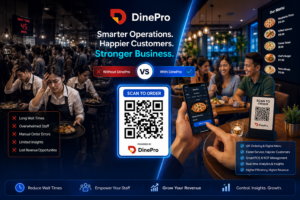
DinePro’s QR-placed ordering is built into the same platform as the POS and kitchen display, so when a guest orders from their table, that order fires directly to the kitchen in real time. No relay. No re-entry. No margin for human error.
3. Menu Management: The Invisible Time Drain
Ask any restaurant manager how long it takes to update a menu and you’ll get answers ranging from “a few hours” to “we don’t, that’s why the prices on our website are from 2022.” Menu management is one of those tasks that sounds trivial until you’re living inside it.
The problem compounds across channels. You update your in-house printed menu, but the QR menu still shows the old prices. Your delivery platform menu hasn’t been touched since onboarding. A seasonal special gets added to the whiteboard but never makes it into the system. And when a customer orders something off the updated menu that the kitchen hasn’t been briefed on, the breakdown is operational — but it feels personal to the guest.
Modern restaurant operations demand menu management that is centralised, fast, and propagated everywhere simultaneously. That means one change should update the QR menu, the POS, and the kitchen display at once — with no exports, no separate logins, and no waiting for a developer to push a site update.
With DinePro’s menu management tools, updates are made once and reflected everywhere. Categories, pricing, modifiers, availability — all controlled from a single interface designed for restaurant staff, not software engineers.
4. Real-Time Billing Errors: The Quiet Revenue Leak
Manual billing in a busy restaurant is a liability. A table of eight, with split payments, a discount code, applied GST, and one round of drinks added after the initial order — the maths isn’t hard, but it happens fast, under pressure, with a queue at the front desk. Errors are inevitable.
Billing mistakes affect more than accuracy. They slow table turns, create uncomfortable moments with guests, and — when they’re discovered after the fact — erode trust in your operation. Worse, they’re difficult to audit unless you have a system that logs every transaction in a structured, reportable format.
Common billing pain points:
- Tax calculations applied inconsistently across different payment methods
- Split bills handled manually, creating rounding errors
- Discounts applied incorrectly or not at all
- Cash vs. card reconciliation done at end-of-shift from memory
DinePro generates accurate bills in real time, with full support for GST, discounts, multiple payment modes (cash, card, UPI, digital wallets, and split payments), and automatic reconciliation reporting — so close-of-day takes minutes, not an hour of spreadsheet work.
5. Table Reservation Systems That Don’t Talk to Anything Else
Reservation management sits at the intersection of guest experience and operational planning, and yet most restaurants handle it with a WhatsApp group, a paper ledger, or a third-party booking app that has absolutely no connection to the rest of their technology stack.
The result is a host team that’s flying blind. They know a party of six is coming at 7:30 pm, but they don’t know which tables are currently turning, what the average turn time has been this evening, or whether the kitchen is running behind. They seat the reservation by intuition — and when the food takes forty minutes to arrive because the kitchen was slammed, the guest experience suffers.
Integrated reservation management — where booking data connects to table status, kitchen load, and service timelines — is one of the most underleveraged opportunities in restaurant tech. It transforms reservations from a scheduling task into an operational asset.
DinePro’s table reservation feature connects guest bookings directly to real-time table management, giving your team the visibility to pace seating intelligently and make reservations the beginning of a loyalty relationship, not just a slot in a calendar.
6. Staff Overload and the Hidden Cost of Manual Workflows
Every manual step in a restaurant workflow represents a tax on your staff’s time and energy. The server who walks to the kitchen to relay a verbal order. The manager who manually tallies daily sales on a calculator. The cashier who re-enters card payment amounts into a ledger. Individually, each of these tasks takes thirty seconds. Across a full service, across a full week, across a full year — they represent hundreds of hours of lost productivity.
More importantly, manual workflows increase the probability of errors at exactly the moments of highest stress — during a Saturday dinner rush, when a large party arrives early, when a staff member calls in sick and everyone is stretched thin.
The restaurants that scale successfully are the ones that automate the repeatable, so their staff can focus on the irreplaceable: genuine hospitality, attentive service, and the human moments that keep guests coming back.
DinePro was designed with this principle at its core — automating order routing, billing, reporting, and menu delivery so your team spends less time on process and more time on people.
7. Analytics That Arrive Too Late to Act On
Most restaurant owners look at their sales data once a week, if they look at it at all. That’s not because they don’t care — it’s because extracting meaningful insight from a typical POS system requires a report export, a spreadsheet, and the better part of an afternoon. By the time the data is readable, the decisions it should have informed have already been made.
What real-time analytics enables:
- Identifying your slowest tables and retraining staff focus during service
- Tracking which menu items are underperforming week-over-week and adjusting before the next print run
- Monitoring staff performance metrics to recognize your best team members
- Catching anomalies in payment patterns that might indicate errors or losses
DinePro’s daily reports and analytics deliver sales summaries, staff performance data, and payment reports in one click — available at the end of every service, not at the end of every week. For small and independent operators, this is genuinely transformative: it means making data-driven decisions without a data team.
8. The Multi-Event Booking Gap
For restaurants that host private events, corporate bookings, or seasonal sittings, the operational complexity multiplies. Coordinating a birthday dinner for twenty, a corporate lunch the following day, and a wedding reception on the weekend — across different rooms, different menus, and different billing requirements — is a coordination challenge that most restaurant software simply wasn’t built to handle.
Event bookings that live in email threads and Google Sheets create risk: double-bookings, forgotten deposits, missed dietary requirements, and no way to brief kitchen staff in advance.
DinePro’s multiple event booking feature lets operators manage diverse bookings across dates and locations from a single interface, with real-time updates ensuring every team member is aligned before the first guest arrives.
Who DinePro Is Built For
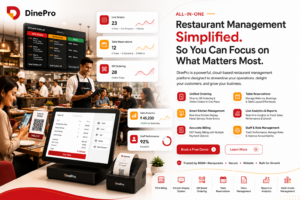
DinePro is purpose-built for independent operators and growing restaurant groups who need enterprise-grade functionality without enterprise-grade complexity or price. Whether you run a solo café, a multi-table bistro, or a restaurant with private dining and delivery operations, the platform scales to fit your workflow — not the other way around.
Core features at a glance:
- QR-based self-ordering for dine-in guests
- Unified POS compatible with tablets, desktops, and POS terminals
- Real-time order tracking and kitchen routing
- Menu management with instant updates across all channels
- Table reservation with live floor visibility
- Multiple payment modes including UPI and split billing
- Daily analytics and staff performance reporting
- Multi-event booking management
All of it available through a free 30-day trial at scantodinepro.com.
The Bottom Line
Restaurant management software shouldn’t be the bottleneck in your operation. It should be the backbone — handling the repeatable automatically so your team can focus on what restaurants are actually about: great food and genuine hospitality.
The pain points described in this article are not inevitable. They are the result of using tools that weren’t designed for how restaurants actually work. The shift happens when you move from patching together disconnected systems to running on a platform built end-to-end for dine-in operations.
If you’re ready to stop juggling tablets and start running a smarter restaurant, start your free 30-day trial at DinePro today.